
Band Portal guide
Claim your band, or add a new one
To edit a band's page, you first show us you're part of the band. If your band isn't on The Band Index yet, you can add it.
Before you start
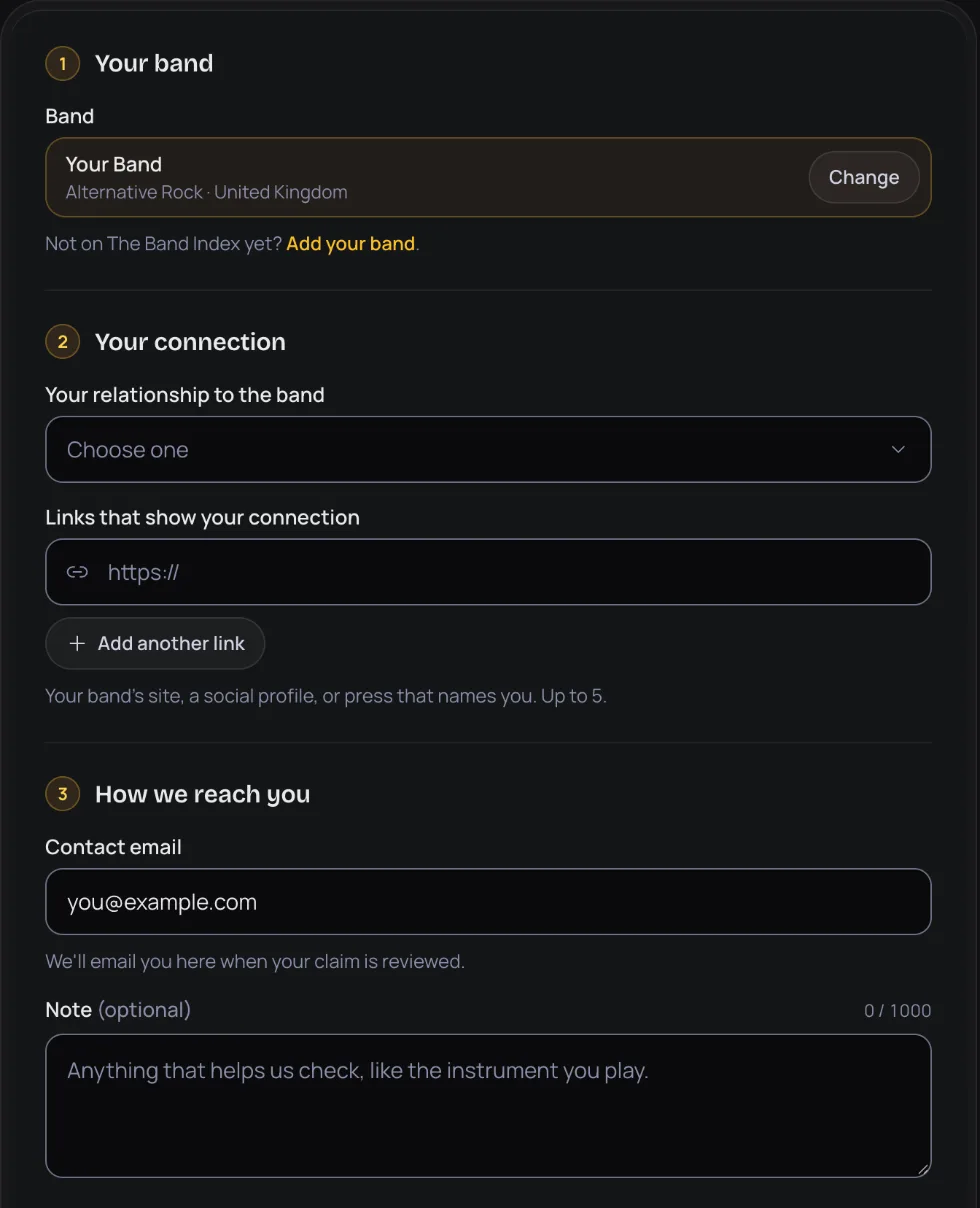
Anyone who acts for the band can claim it. The form asks for your relationship to the band: Band member, Manager, Label or Other.
Have a few links ready that show your connection: your band's site, a social profile, or press that names you. Each one is a full web address that starts with https://.
You need to be signed in. If you don't have an account yet, create one first.
Claim a band that's on The Band Index
- Open Claim your band in the portal. Once you're signed in, it's also Claim a band in the header.
- Under Your band, type at least 2 letters into Search for your band, then pick your band from the list. Each result shows the band's genre and country. Picked the wrong one? Press Change.
- Under Your connection, choose Your relationship to the band. Then add your Links that show your connection, up to 5. Press Add another link for each extra one.
- Under How we reach you, check the Contact email. It starts as your account email, and it's where we write when your claim is reviewed. Add a Note if it helps us check, like the instrument you play.
- Under Your band's content, tick the box to say you're authorised to act for this band and agree to the Band Content License.
- Press Send claim. You can withdraw it while it's in review.
Add a band that isn't listed
- Open Add your band. On the claim page it's the Add your band link under the search box.
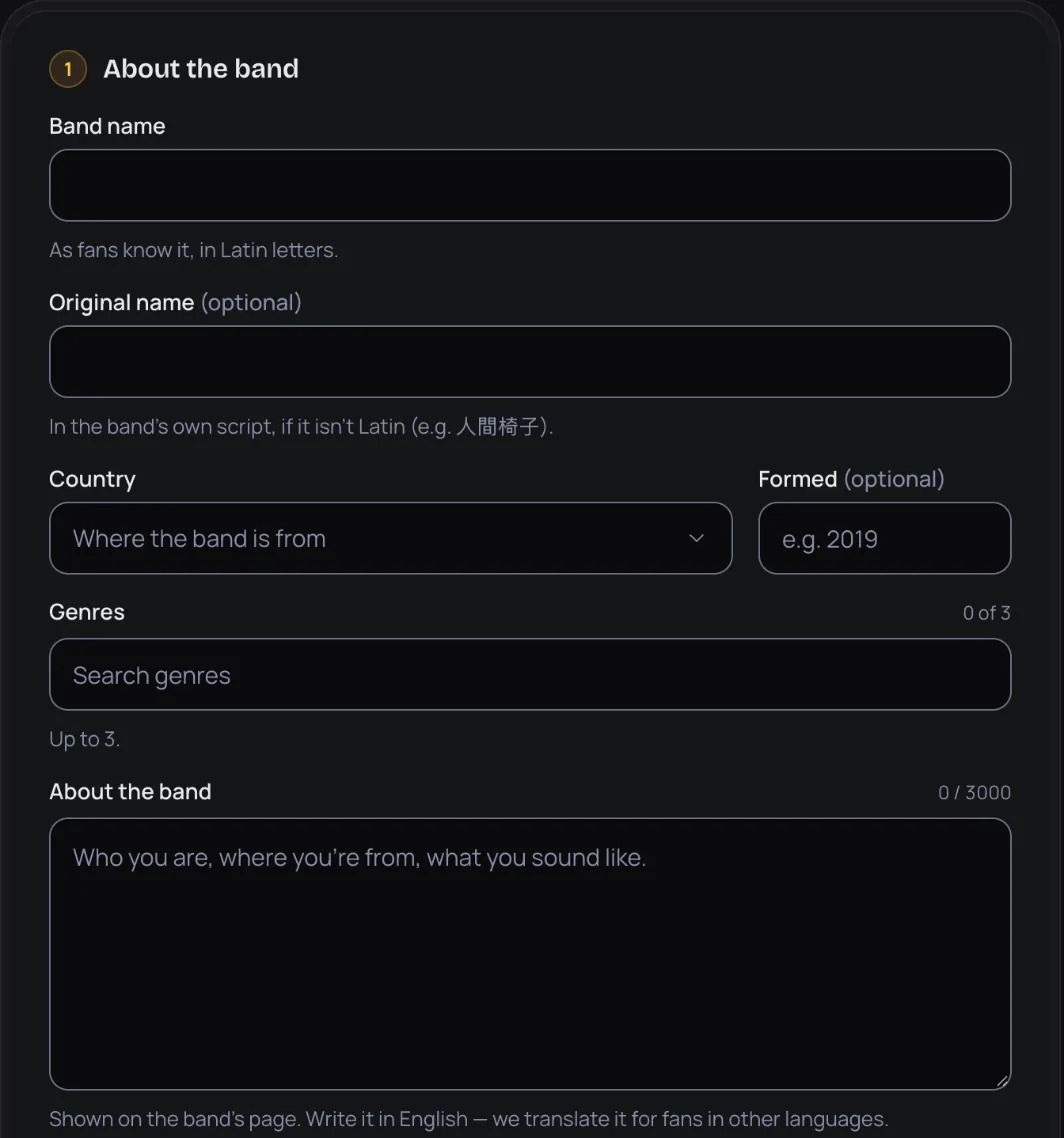
- Under About the band, fill in the Band name as fans know it, in Latin letters. If the band's own name is in another script, add it under Original name.
- Choose the Country and 1 to 3 Genres. Add the year it Formed if you know it.
- Write a description under About the band, 50 to 3,000 characters. It's shown on the band's page. Write it in English: we translate it for fans in other languages.
- If you like, add a Logo, the band's Website, and up to 8 Other links such as socials, streaming or Bandcamp.
- Fill in Your connection and How we reach you the same way as a claim. Your links and contact email aren't shown to fans. Add a Note to our team if it helps.
- Tick the Band Content License box and press Send for review. Nothing is public until we approve it.
How review works
We check every claim by hand, usually within 2 days, and email you. We check every new band by hand, usually within 2 days, and email you.
- When we approve a claim, the email tells you that you now manage the band and which role you have: owner or editor. The band then shows up under My bands.
- When we approve a new band, it goes live on The Band Index, you're its owner, and it shows up under My bands.
- If we don't approve it, the email gives the reason. You can send a new claim or band any time.
Owners and editors can do the same things, except that only the owner adds or removes editors. Our team chooses the role. More about the team
Follow what you've sent
The claim page lists what you've sent under Your claims, each with a status: In review, Approved, Not approved or Withdrawn. If a claim wasn't approved, the reason shows there too.
To take a claim back while it's in review, press Withdraw and confirm. You can send a new one any time.
New bands you've sent are listed under Bands you added. Once one is approved, press Manage it to open it.
Limits
All guide pages
- Guide overview
- Get started
- Claim your band
- Your band page
- Posts
- Music
- Events
- Team
Ready to start?
Find your band and send a claim, or add it if it isn't on The Band Index yet. It's free.