
Band Portal guide
Add bandmates to help
Let your bandmates, manager or label edit the page and post with you.
Owners and editors
Everyone who can edit your band page is listed on the Team tab. There are two roles:
- Owner: can do everything, including adding and removing editors.
- Editor: can change the band page and post. Editors can't add or remove people.
Our team chooses the role when we approve a claim. Whoever adds a new band becomes its owner.
Add an editor
Only the owner can add editors. Each person needs their own Band Index account first, so send them to Get started if they don't have one.
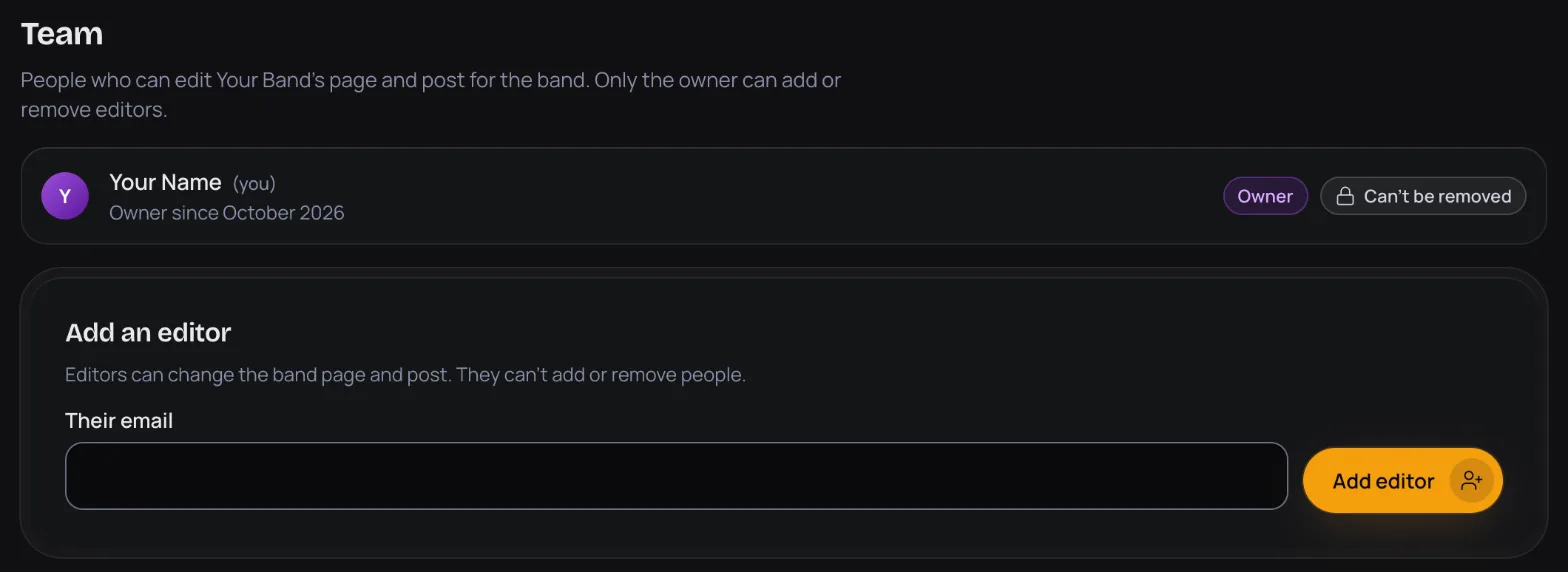
- Open your band's Team tab.
- Under Add an editor, type the email of their account into Their email.
- Press Add editor. They can start editing right away, and they get an email to say so.
Remove an editor
- On the Team tab, press Remove next to the person.
- Press Remove editor to confirm. They lose access to the band right away. You can add them again later.
Changing the owner
The owner shows Can't be removed, and there's no way to hand the band over in the portal. To move ownership to someone else, or if your owner has left, email support@thebandindex.com.
All guide pages
Ready to start?
Find your band and send a claim, or add it if it isn't on The Band Index yet. It's free.