
Band Portal guide
Create your account and sign in
One account is all you need. Here's how to make it, sign in, and get back in if you're locked out.
Create your account
- Open the Band Portal sign-in page and choose Create account.
- Enter your Email and a password under Choose a password. It needs at least 8 characters. The hint under the box, At least 8 characters, counts down as you type.
- Press Create account. You'll see Check your email, and we send a confirmation link to the address you entered.
- Open the email and click the link. That confirms your address and signs you in.
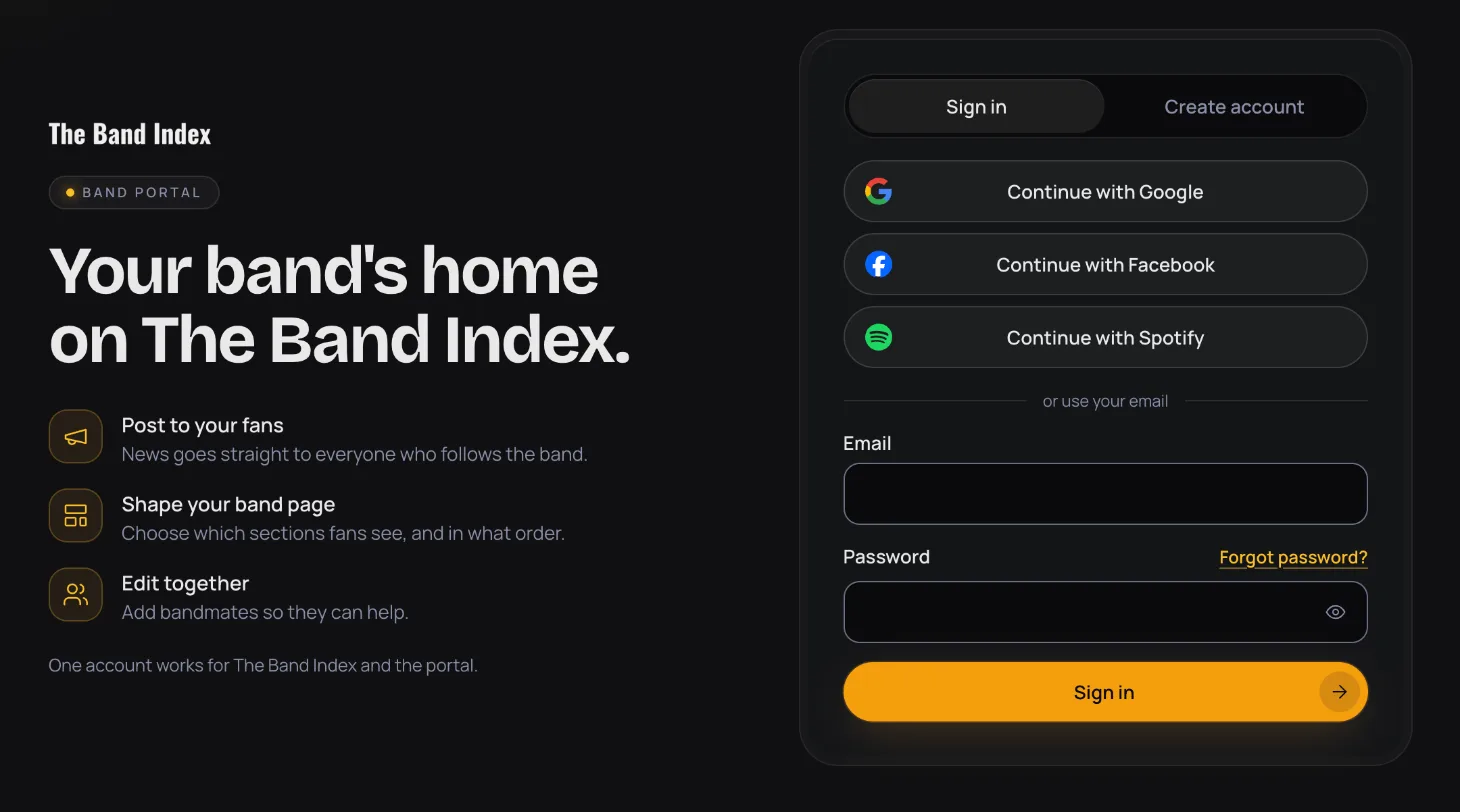
Sign in with Google, Facebook or Spotify
Rather not make a new password? On the sign-in page, press Continue with Google, Continue with Facebook or Continue with Spotify, and follow the steps from that service. You come back to the portal signed in.
Already a fan on The Band Index?
One account works for The Band Index and the portal. If you already have a fan account on thebandindex.com, sign in with it instead of making a new one: the same email and password, or the same Google, Facebook or Spotify sign-in. The portal has no Sign in with Apple yet. If you made your account in the iPhone app with Apple, email support@thebandindex.com and we'll help you sign in.
Reset your password
- On the sign-in page, press Forgot password?.
- Enter your Email and press Send reset link.
- Open the email and click the link. It opens a page where you choose a new password.
- Enter a New password and press Save new password. You're signed in.
If signing in doesn't work
These are the messages you may see, and what to do about each one.
- That email and password don't match: check them and try again, or reset your password.
- Confirm your email first: open the link we sent when you signed up, or press Send the link again.
- Too many attempts: wait a minute, then try again.
- An account already uses this email: sign in instead, or reset your password.
- A message about your password, like This password has shown up in a data breach. Choose a different one.: pick another password. Mixing upper- and lower-case letters, numbers and symbols helps.
- Your session ended: sign in again to pick up where you left off.
- That sign-in link didn't work: the link may have expired or been used already. Ask for a new one.
After you sign in
If you don't manage a band yet, you land on Claim your band, where you can find your band and send a claim. Once you manage one, you land on My bands.
The header has My bands and Claim a band. Your initial at the top right opens your account menu, with Open thebandindex.com and Sign out. On a phone, the same items are in the menu button.
If you leave a screen with changes you haven't saved, the portal asks Leave without saving? Press Keep editing to go back to your changes. A tab with unsaved changes shows a dot.
All guide pages
Ready to start?
Find your band and send a claim, or add it if it isn't on The Band Index yet. It's free.